Filming a fleet that actually works.
v4 covers your second round of notes and the two new scenes — seven scenes, 96 seconds. It also has the three background treatments you asked me to suggest, and one thing that needs a login from you. Earlier cuts and the original reference teardown are below.
Seven scenes
1920×1080, 60 fps, 96.2 s, silent. Thirteen segments. Your second round of notes, plus the two scenes you added.
Pick a background
You asked for suggestions. Three directions, each composited under the busiest frame in the film — the offline diagram, with its thin connectors and small mono labels — because that is the frame a background can ruin. Contrast cost against the flat ground is measured, not guessed.
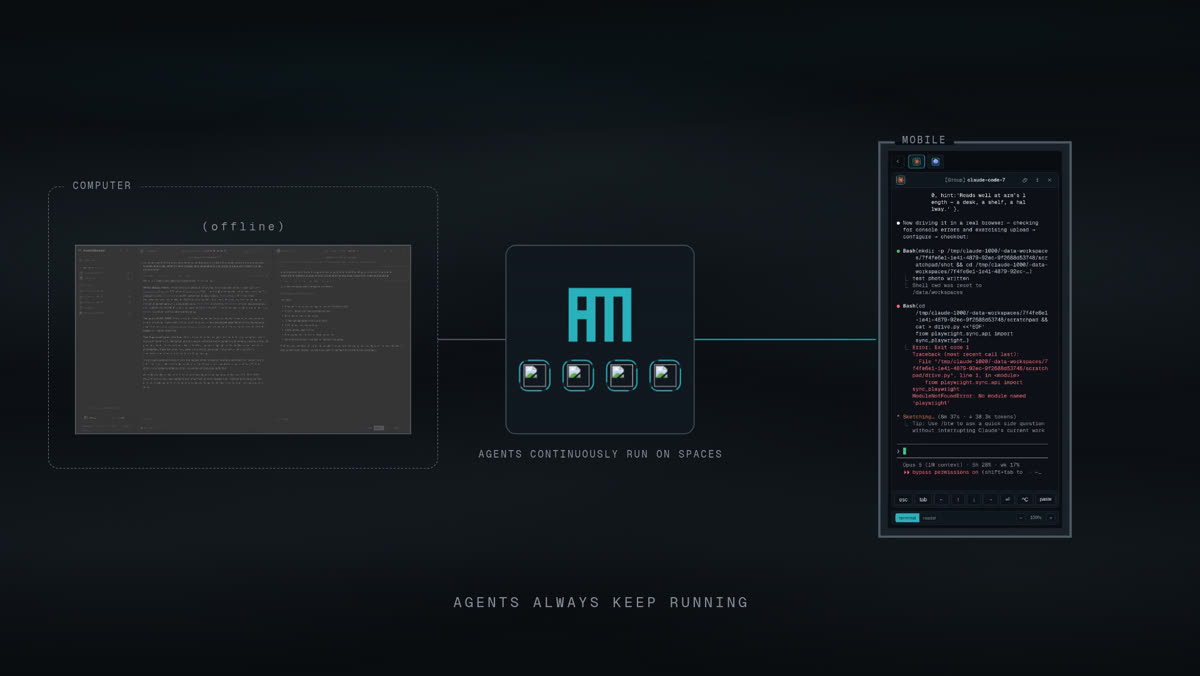
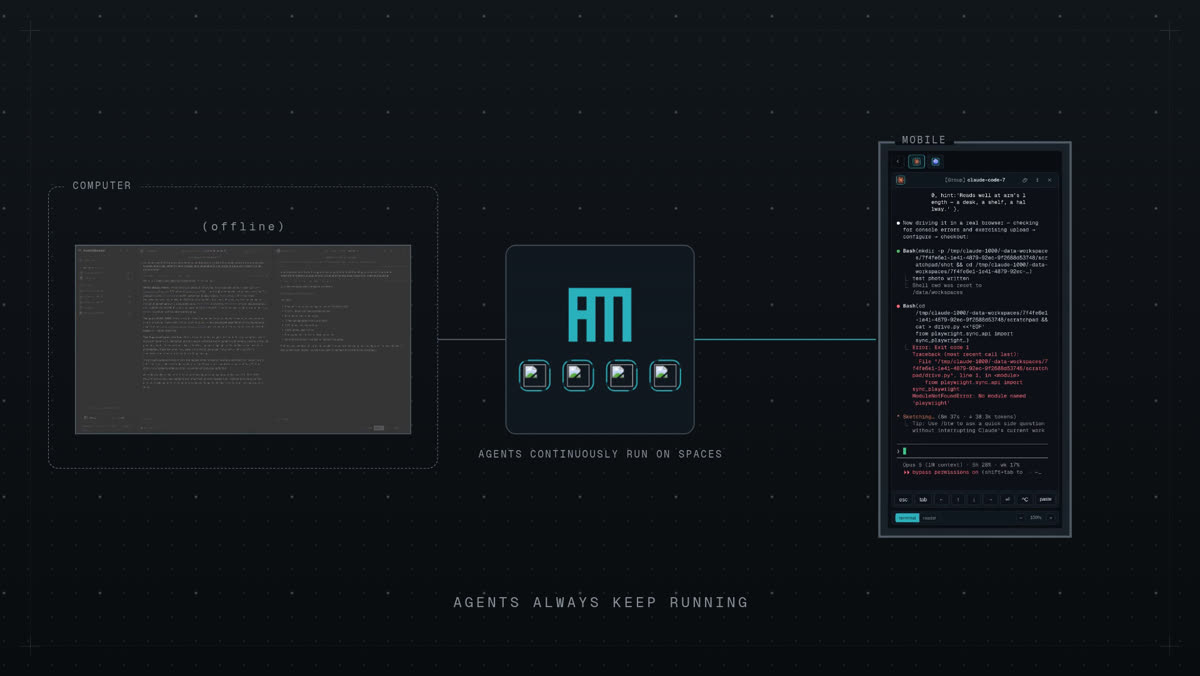
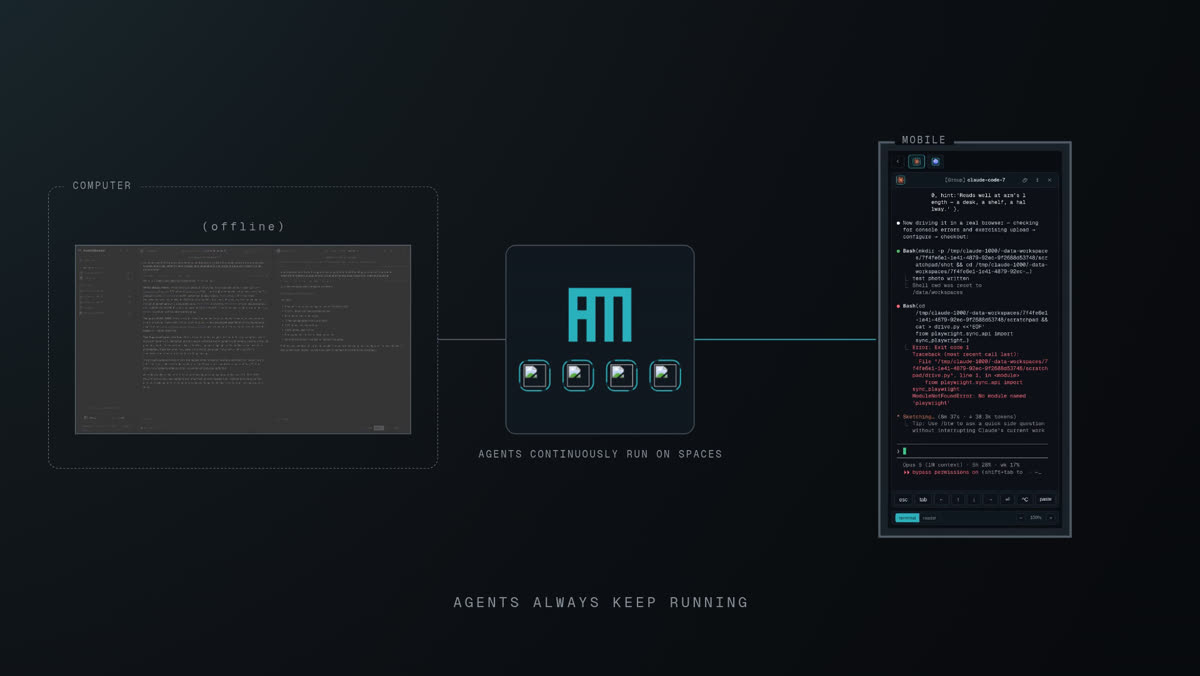
B · Plate. It is the only one that adds character rather than just mood, it measures as the most legible by a wide margin, and a drafting surface is the right register for a tool that runs terminals — it reads as instrumentation, not decoration. The agent who built them preferred C for being the quietest, which is a fair argument if you want the ground to disappear entirely. A is the one I would avoid: it is the only option that can pull the eye mid-shot, and it buys the least.
Say which and I will apply it across every scene — the pages are built so it drops in behind them.
Your notes, this round
| Your note | What changed |
|---|---|
| Scene 2 — the sidebar is cut off | Framing widened so the whole app is in shot. The sidebar reads complete, including the status legend at its foot. |
| Scene 2 — the Claude iteration doesn't end; speed it up a lot and overlay a fast-forward icon | That beat now runs at 12× with a ⏩ 12× badge burned in, fading in and out with the segment. |
| Scene 2 — give the agent a name: claude-researcher | Done, and typed on camera: the launcher's more options has a Name (optional) field. The second is codex-coder. |
| Scene 3 — weird transition; you would keep the Claude panel while creating a new agent | Scene 3 is now one continuous take. The researcher's pane stays live the whole time — the launcher opens over it, and it never cuts to an empty panel. |
| Scene 3 — the animation needs a title | "agents create, message and read other agents" — your three verbs, made parallel. |
| Scene 3 — the second agent seems stuck in a "should we update codex" dialogue | Dismissed inside the take, right after the session boots, so it is out of shot for the drag and the brief. |
| Scene 3 — suddenly the other sessions are visible too | The cause was a group-name collision, not demo mode: new agents were being dropped into the previous round's group called Group, which pulled its old members into the tiled view. I archived all 16 of my earlier demo sessions — yours untouched — so the group now contains exactly the two agents, and the sidebar exactly five. |
| Scene 3 — "read the trace of claude-code-7" went to the wrong agent | You were right. I was clicking the first terminal tile, which after grouping was the researcher's own. It now finds the tile by header name and logs which one it typed into. |
| Scene 3 — the zoom is totally unnecessary | Scene 3 is entirely static now. No moves at all. |
| Scene 3 — make the second agent a gemini | Could not. See below. |
| Scene 4 — borders almost invisible | All raised to a measured ~3:1 against the ground, still below the muted text so nothing turns into a hard white line. Dashed borders got an extra step because dashes lose half their ink. |
| Scene 4 — replace "Spaces" with the AM logo · agent icons inside the box · label the mobile · both subtitles | All four. The mark is the label now, with four real CLI icons in a row beneath it in the app's own status rings; the phone is labelled MOBILE; agents continuously run on spaces sits under the panel and agents always keep running is the scene's caption. |
| Scene 6 — one agent spins up three sessions, each implementing a feature, then a rotated review | Filmed live. See below. |
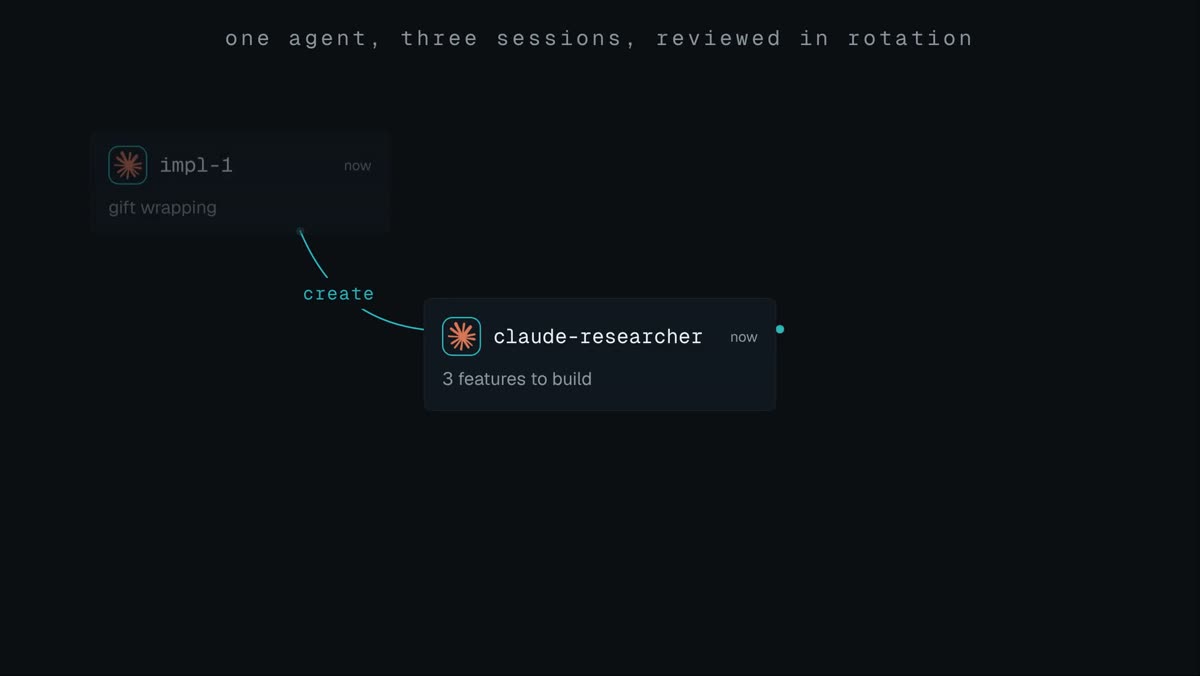
| Scene 7 — animate that process | Built in the same language as the two-agent diagram, titled "one agent, three sessions, reviewed in rotation". |
Scene 6 really happened
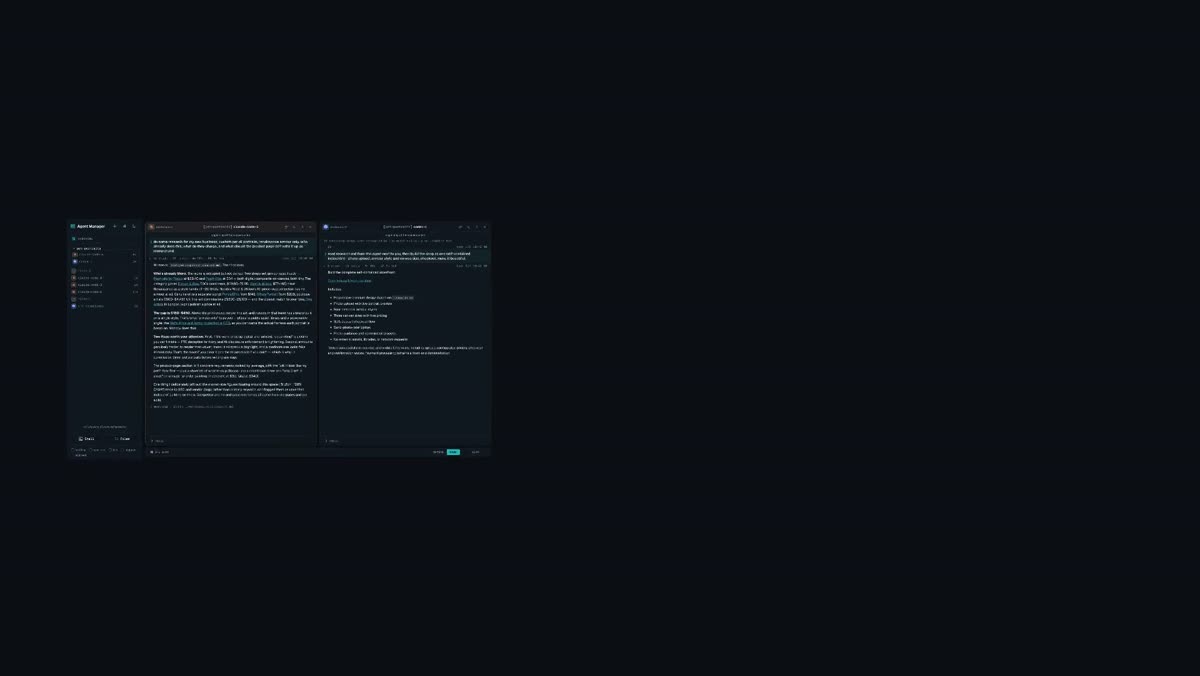
I briefed claude-researcher to add three features to the site and coordinate a rotated review. It spawned gift-wrapping, size-compare and reviews into its own group, and told each of them — its words — "four sibling agents will review your work afterwards, so leave the code legible." The shot is five live panes, then the Overview with all five states at a glance. Nothing staged.
Gemini is not credentialed on the dev Space — the roster reports ready=false, so a Gemini session boots into a login prompt. I tried opencode instead and it was worse: it accepted the typed brief and never executed it — no answer, no files, zero token usage. So the second agent is Codex, which was your first instinct and demonstrably builds the site. Log in once inside a Gemini session and I will re-shoot that beat.
It is now 96 seconds, up from 66. Scenes 6 and 7 add 21 s between them. I would tighten the two explainer animations by ~2 s each and drop the research fast-forward to 3 s, which lands it near 85 s without losing anything you asked for — but it is your call whether length is a problem at all.
Still no music.
Your notes, worked through — superseded by v4
1920×1080, 60 fps, 66.2 s, silent. Ten segments. Every scene re-shot or re-built against the feedback you wrote under it.
Note by note
| Your note | What changed |
|---|---|
| Scene 1 — skip "introducing"; the wordmark can appear while the logo materialises; drop the subtitle | All three. The card is now 4.8 s instead of 8. The wordmark is present from the first beat as a dim ghost and resolves left-to-right as the bars rise and the rail locks them, so mark and word land as one gesture rather than in sequence. The hairline rule went too — it only existed to introduce the subtitle. |
| Scene 2 — I want the sidebar empty at start | Done. It opens on "Nothing yet. Add an agent with the + above." Demo mode turned out to be server-side and global, not per-browser, which is why it kept fighting me — enabling it and then reloading in the same session is the recipe. |
| Scene 2 — it zooms out too quickly, no slow zooms; stay in longer then a fast dynamic zoom out | Rebuilt the move: the framing is identical at 6.0 s and 9.5 s — genuinely held — then snaps wide across the last third. The easing is a hold-then-smoothstep rather than a constant drift. |
| Scene 2 — keep the prompt tighter and don't write to MD; the second agent should read from the trace | Prompt cut to one line with no file at the end. The second agent is now told "read the trace of claude-code-7" — so the hand-off really is agent-to-agent, not via a file on disk. |
| Scene 2 — weird perspective change between searching and the result; just fast forward | That beat now runs at a fixed zoom and a 6× speed-up. No camera move at all inside it. |
| Scene 2 — drop unnecessary subtitles like "real prices" | Gone. The whole film now carries two captions instead of nine. |
| Scene 3 — create an empty agent without a prompt first | Done, via the launcher's ▾ more options → Create. Worth knowing: pressing Enter on an empty prompt does nothing, so this is the only single-agent route to a promptless session. |
| Scene 3 — the merging should be done by dragging one session on top of the other | On camera, with the real drop hint (drop to add to Group) appearing before the release. Shot twice: the first take had Codex's "Update available" banner filling the frame, so I re-framed it with the researcher's pane behind, which puts its actual research on screen during the drag. |
| Scene 3 — no zoom here | Static framing throughout Scene 3. No moves. |
| Scene 3 — an animation showing agents can communicate: one widget, a "create" arrow, a second widget, a prompt, a wait, an arrow back with the response | Built exactly to that order, using the app's real Overview card design and real CLI marks. Prompt what is 2+2?, answer = 4. The wait uses the product's own traced status ring rather than a spinner, plus a dashed arc for the reply that is owed. Rescaled once after I found the labels unreadable at 1080p. |
| Scene 3 — good place to show the reader and expand the tool calls in real time | The reader is there and a collapsed 12 steps · 15 tools · 2m 5s · 35.3k tok row is expanded on camera. |
| Scene 4 — screen small on the left, a square in the middle with the logo labelled Spaces, a square around the window labelled Computer, grey the screen out with (offline), connect the mobile | Built as specified. The detail that makes the point: when the screen greys out, the Computer↔Spaces link dies with it, and the phone connects straight into Spaces — two links, one dead, one alive. |
| Scene 4 — the mobile view looks like scrolling through history rather than rendering progress | Fixed, and it needed a real diagnosis: the reader does not update live at all. Measured 2 distinct frames out of 780 while an agent worked for 121 s with the websocket connected. The terminal does stream, so the phone plate is now terminal mode — 89 % distinct frames across 76 s of real work, showing the agent iterating on the site. |
| Scene 5 — activate the screen from the previous scene and move it back to full screen | Shot B starts from Shot A's end state and grows out of it. Not approximately: the two pages share one geometry constant (SCREEN_SMALL = {100, 326, 448, 252}, scale 0.28) and a join check reports a mean pixel difference of 0.12 across the cut — codec noise only. |
| Scene 5 — the address shouldn't be typed, and it should be index.html | Both. The address reads index.html and is present from the moment the window exists. |
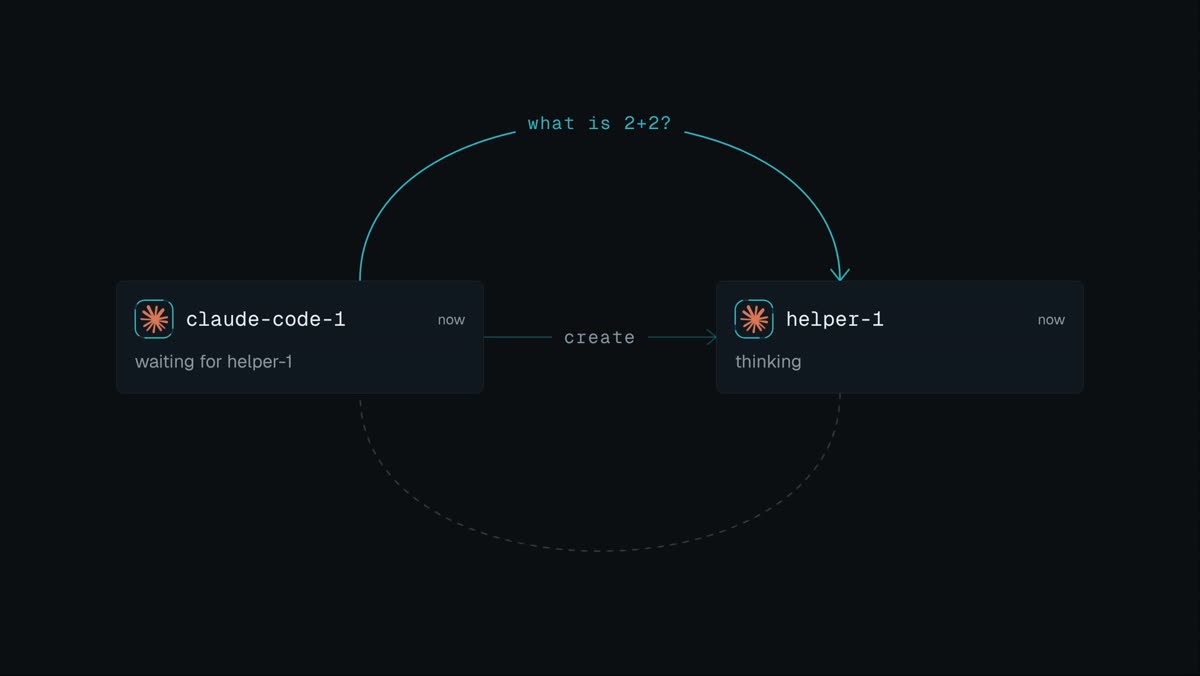
The rendering-progress fix is terminal mode, not the reader. You asked for the mobile view to render progress; the honest answer is that the reader cannot, because it does not update until a turn commits. What is in the cut is the phone streaming the terminal, which shows genuine progress. Making the reader live on mobile is an app change, not a video change — your call whether that is worth doing.
Still no music. The intro is now built to land on a beat and there is nothing for it to land on.
Smaller: Codex's "Update available" notice reappears on every fresh Codex session and I could not reliably dismiss it, so it is visible in the tiled group shot. And the group is still called Group — you did not ask for a rename this time, so I left the default.
The feedback cut — superseded by v3
1920×1080, 60 fps, 57.2 s, silent. Your five scenes, in your order. The demo business is Custom Pet Oil Portraits — Renaissance armour only, your option 1.
| Time | Scene | What is on screen | Caption |
|---|---|---|---|
| 0:00–0:08 | 1 · Intro animation | introducing → four bars rise from the baseline → a rail wipes across and locks them → the crossbar clicks in and the AM monogram is assembled → Agent Manager → Manage all your agents from anywhere. | — |
| 0:08–0:19.6 | 2 · First agent demo | The launcher opens, the brief types in, launch. The row appears, Claude Code boots, and the research starts — real web searches, real competitor pages. | one prompt · research my new business |
| 0:19.6–0:24.6 | 2 · cont. | The research streaming: named competitors with live prices, the $180–$450 gap, the Met's CC0 armour collection as a provenance angle. | real sources, real prices |
| 0:24.6–0:35.4 | 3 · Second agent demo | A different harness is picked from the launcher — the placeholder rewrites itself to prompt for Codex… — and told to read what the first agent wrote and build the shop. Codex boots beside it. | a different harness · read what the first agent wrote |
| 0:35.4–0:44 | 3 · Group demo | The two are grouped and the group renamed to pet-portraits on camera; then the tiled view, both agents working side by side. | grouped · two harnesses, one job |
| 0:44–0:50 | 4 · Mobile animation + demo | Desktop and phone side by side. The desktop panel swings shut on a hinge — real perspective foreshortening, content anchored at the hinge, a shading gradient travelling across the surface — and the phone stays, still scrolling the same conversation. | close the laptop · it keeps going |
| 0:50–0:57.2 | 5 · First iteration animation + demo | Back to the laptop. A simplistic browser window rises over the dimmed app carrying the real site the Codex agent built, and scrolls down through it. | first iteration |
The demo is real, including the business
One Claude Code session got the brief you see typed on screen. It ran web searches, read live competitor pages, and wrote research.md: Pawtraits by Rocco at $29.40, PopArtYou at $34, Crown & Paw with ~20 SKUs, boutique artists at $500–$4,437, UK fine-art commissions at £1,600–£5,100 — and Dog Artists in London, who won't publish a price at all. Its conclusion: the gap is $180–$450, and "armour only" buys you a reusable asset library plus a provenance angle, because the Met's Arms and Armor collection is CC0 so you can name the actual harness each portrait is based on. It also flagged that "oil painting" is a claim you cannot make if the work is digital-and-printed, and refused to build on the $1.2bn / 28% CAGR market-size figures because they trace to SEO blogs rather than primary research.
A Codex session then read that file and built the storefront. It used the research: the price lands at $340 — inside the gap — and the four armour styles are named after real harnesses with real dates. It tested its own work with Playwright on desktop and mobile before saying it was done.


Scene 2 does not open on an empty Agent Manager. You asked for that and I did not get it. Demo mode turns out to be per-browser (localStorage), so every fresh capture profile starts with it off, and enabling it mid-take blanked the UI. Six older dev sessions are in the sidebar throughout. The honest fix is a scratch Space with nothing in it.
Still no music. Same as v1, and it matters more now: the intro is built to land on a beat.
The phone's motion is a scroll, not the agent working. The reader updates per turn rather than streaming token by token, so a phone pointed at a working agent is a still frame. What you see is someone reading. Filming the phone in terminal mode would show real streaming, if you would rather have that.
The site says "hand-painted in oil" — the exact claim the first agent warned about. The second agent did not carry the warning across. Left in, because that is what happened.
Scene 3 has no on-camera drag. Dragging a row onto another really does group them, and I have it working, but I had already grouped them off-camera while testing. The rename is on camera instead.
Three pieces were built in parallel by separate agents, as you suggested: the intro animation (which worked out the mark is an AM monogram, not a bar chart — all four bars are full height and the small block is the A's crossbar), the fold transition (which rejected ffmpeg's built-in squeezev as "a wipe, not a fold" and wrote a per-frame perspective renderer instead, self-scored 4/5, marked down for having no contact shadow), and the browser overlay (parameterised by query string, so swapping the placeholder site for the real one was one argument).
The fold agent also caught a bug in my own animation cards: base.css's pause rule loses to a later animation shorthand, so some cards autostarted on load instead of waiting for the recording. Fixed.
The first cut — superseded
1920×1080, 60 fps, 66.8 s, silent. Every app frame is a real capture of the live dev Space — no mock-ups, no re-creations. The fleet in it genuinely researched the task and hired its own peers while the camera was running.
What the demo actually did
The use case is mine, as you said it could be. I briefed one Claude Code session: “benchmark the fastest way to batch-resize 100 jpegs — use the brief”, with a brief.md attached by drag-and-drop. On its own it then:
- ran three web searches and checked what was actually installed on the box (Pillow 12.3.0 with libjpeg-turbo; no cv2, no pyvips — so it adapted the plan);
- generated a 100-image corpus and wrote RESEARCH.md and BENCH_CONTRACT.md for its peers;
- spawned impl-pillow, impl-opencv and reviewer into its own group through the manager API — and even briefed the Codex session sitting next to it, which I had not asked for;
- armed a monitor and watched them instead of doing their work.
The research brief you see on screen at 0:42 is that file, rendered by the app's own file viewer. The numbers in the Usage panel at 0:51 are the real cost of making this video.
Shot map
| Time | Shot | Caption |
|---|---|---|
| 0:00–0:12 | One continuous pull-back: macro on the launcher's CLI marks → group mode with the counters → naming the group → four panes tiling, one of them a plain shell | two CLIs, a shell, a file browser · grouped, and tiled |
| 0:12–0:16 | Title | — |
| 0:16–0:21 | Concept: the lead, then filaments out to the peers it will hire | they can talk to each other |
| 0:21–0:25 | The brief dropped in as a file, and sent | benchmark the fastest way to resize 100 jpegs |
| 0:25–0:30 | Six live panes, frames turning out of phase | so it hires three peers |
| 0:30–0:35 | The reader — rendered conversation, tool calls, token counts | the reader |
| 0:35–0:38 | The i panel and the trace download | every fact, and the trace |
| 0:38–0:46 | The file browser into resize-bench, then RESEARCH.md rendered | and what they actually wrote |
| 0:46–0:51 | The same conversation on a phone | all of it, on a phone |
| 0:51–0:56 | Usage · Skills · General, ~1.5 s each | usage · skills · backup |
| 0:56–1:01 | Concept: the Space, and two machines outside it | and on your own machines |
| 1:01–1:07 | End card | built by the agents it runs. |
No music. This is the big one. The cut is silent, and it is paced for a track that is not there — the title at 0:12 is sitting in a hole in a mix that does not exist yet. Watch it once muted-by-design and judge the pictures; it will feel about 30 % better with a bed under it, and the edit will change once we have one.
The remote beat is concept-only. No remote agent was connected, so 0:56 is the diagram without the payoff shot of a remote row in the sidebar. Start one on your laptop and that beat becomes real.
The Act I macro is upscaled. The plate is 2560×1440 and the opening pushes to about 2.1×, so the first two seconds are softer than the rest. Fixable by shooting that beat at a smaller CSS viewport.
Blemishes I left in rather than fake around: a stray 2 in the lead's conversation (I mis-targeted a pane while setting up and typed into the wrong terminal); a duplicate impl-pillow row from a mis-spawn the agent recovered from itself; a Codex update notice in one frame; and a SessionStart:resume hook error in a peer's pane. All real, none of it staged away.
Captions sit on busy UI in two shots even with a scrim behind them. A lower-third band or a consistent safe area would fix it.
Making this used roughly 0.6 M tokens across seven Claude sessions and one Codex session on the dev Space — the Usage panel in the film is the receipt. The resize-bench group is still there with its files; a second four-session group from the Act I re-shoot is idle beside it. Say the word and I will archive both.
I turned demo mode on to get a clean sidebar and turned it back off afterwards, so your six dev sessions are visible again. Nothing was deleted, and nothing was run in the prod Space.
Which K3, and what makes it work
You said you liked "the K3 release video." There are two plausible K3s. I am confident it is the first, and I took it apart frame by frame rather than describing it from memory.
Candidate A — almost certainly this one
“Meet Kimi K3” — Moonshot AI, posted 16 July 2026, 30.6k likes.
x.com/Kimi_Moonshot/status/2077821890207547467
56.7 s · 1920×1080 · 29.97 fps · music only, no voice-over, no subtitles.
A 2.8T open-weights model launch that landed a month ago and that you would have seen at work.
Candidate B — if I have the wrong one
Creality K3 / KliTek — a 3D-printer launch film, 30 May 2026. Different world entirely (hardware macro photography, mechanism close-ups). Say the word and I will tear that one down instead; everything downstream in this document would change.
Confirm or correct before we lock a direction.
The teardown
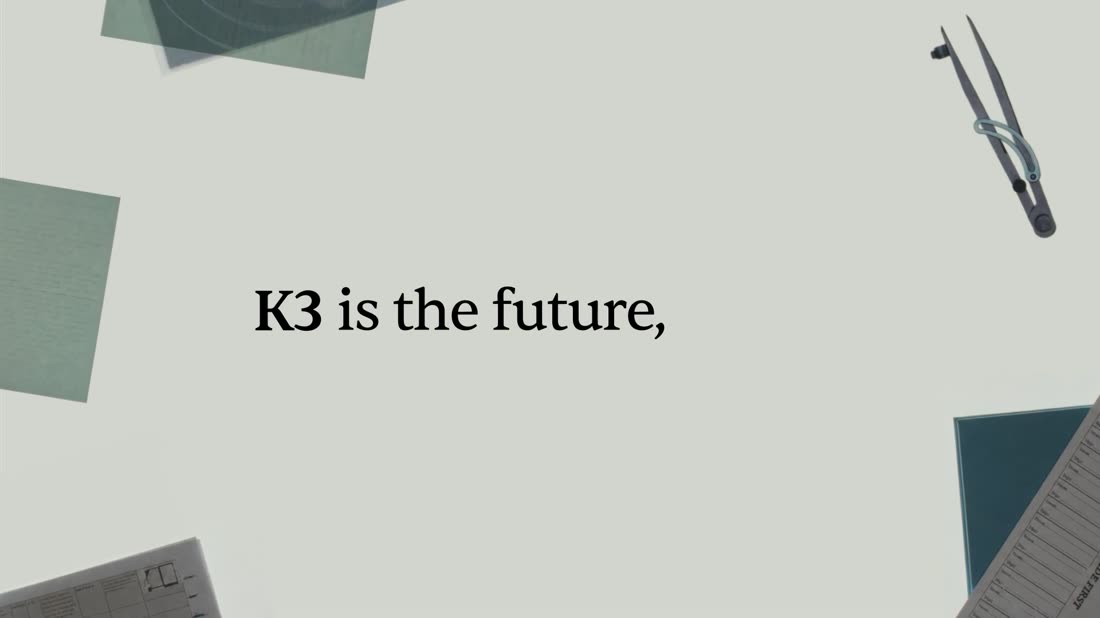
26 cuts in 56.7 seconds — an average shot of 2.18 s. But the average is a lie: it opens on 2–4 s shots and crescendos into 0.7–1.3 s shots, then decelerates into a 6 s end card. The reason it never feels frantic is that the ground never changes. Every cut lands back on the same pale sage paper.
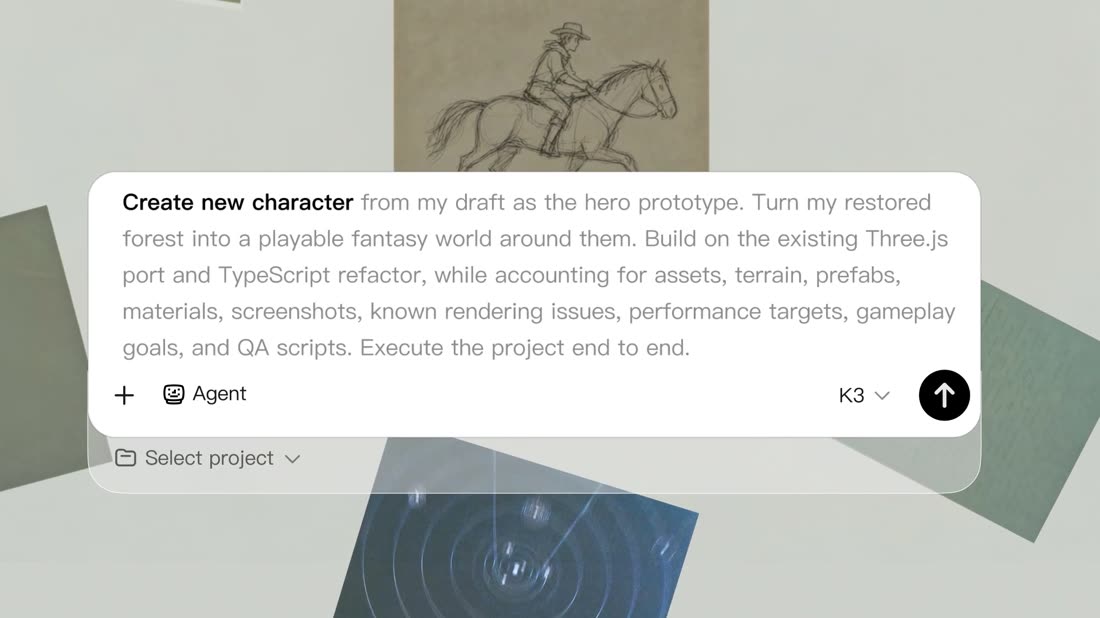
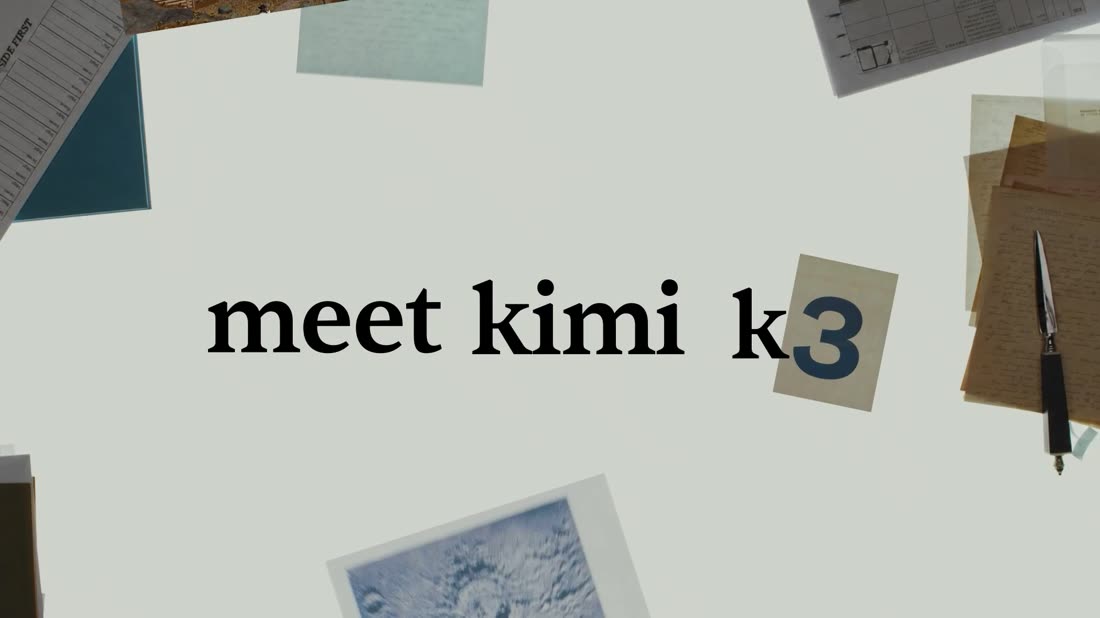
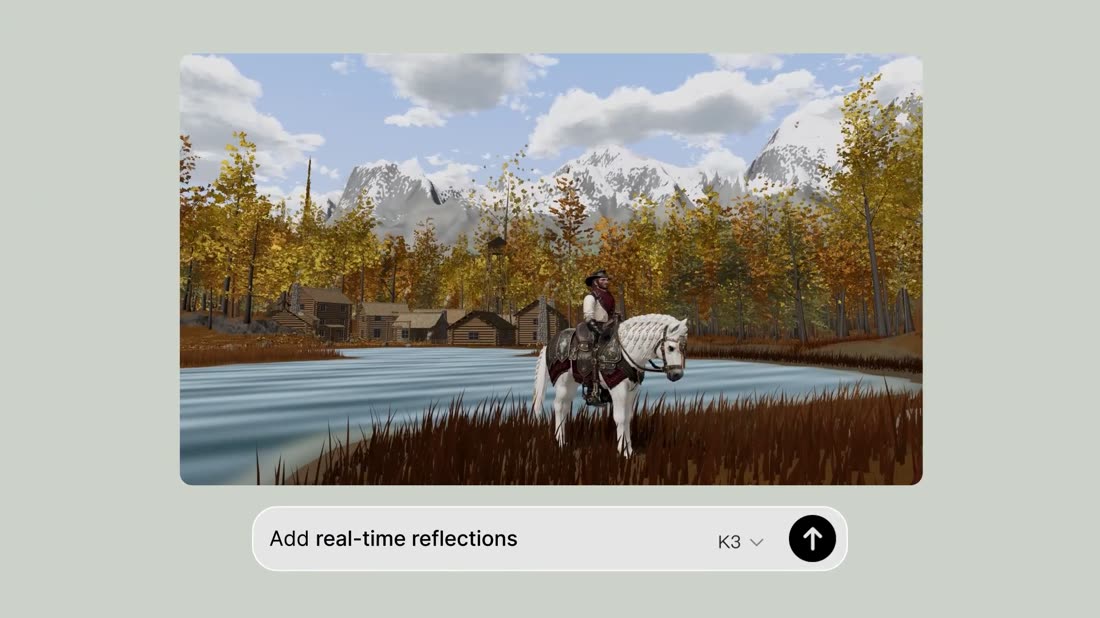
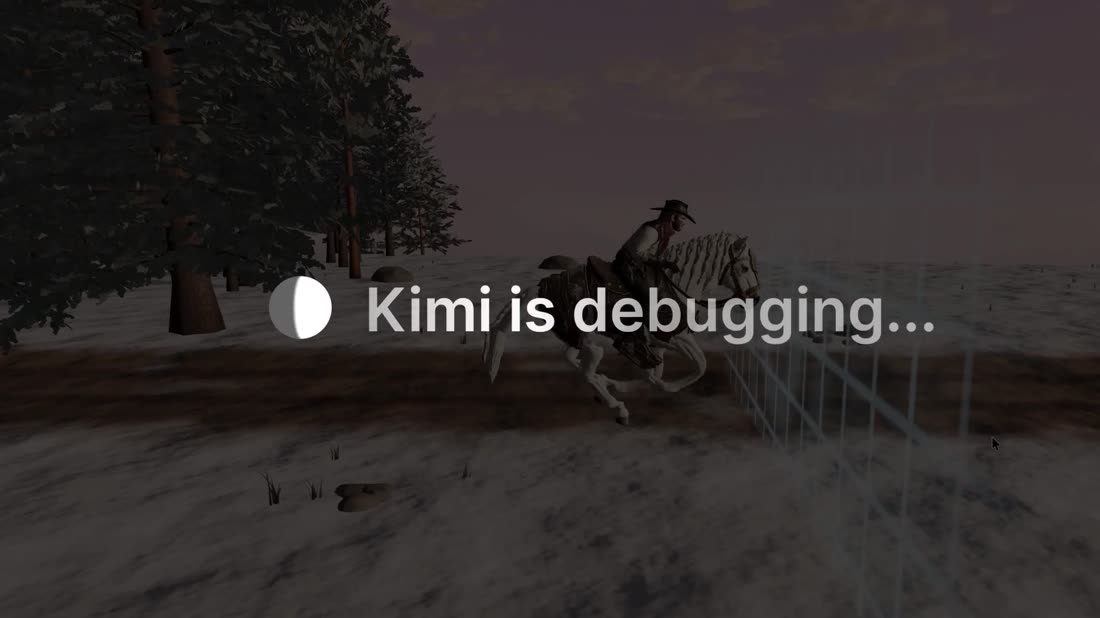
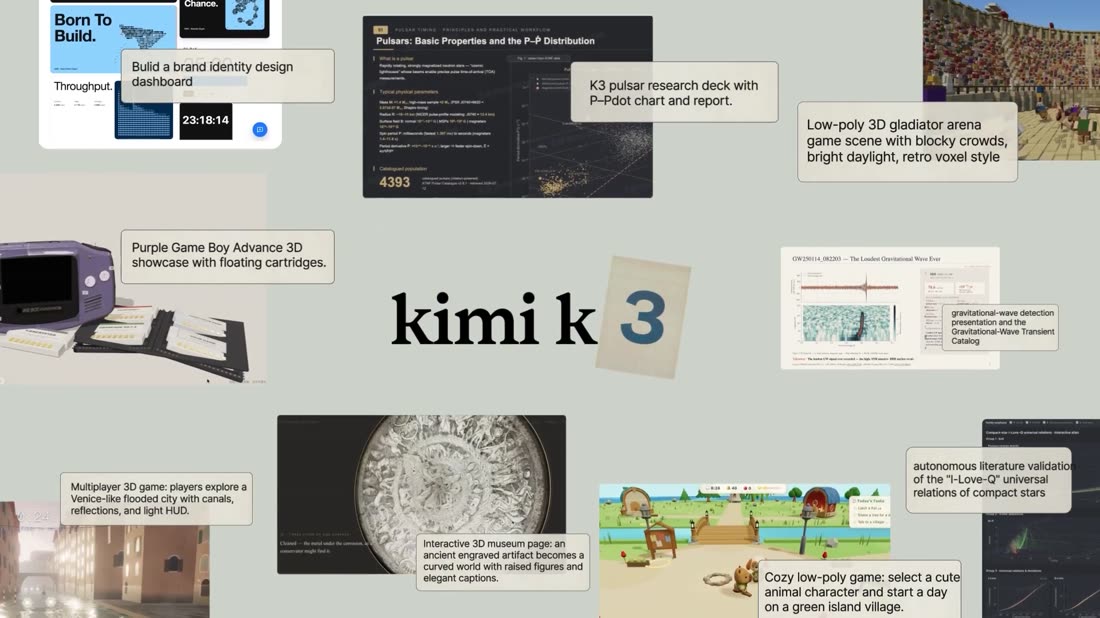
The music does the pacing — and the title lands in a hole in it
Measured RMS in 2-second buckets. Loudness range is only 6.7 LU, so the bed is deliberately flat — which makes the two engineered dips read as events. The trough at 0:16–0:21 is where the wordmark and the first three prompt cards sit. Then it slams back for the debugging beat and stays up until the outro.
Six techniques worth stealing
- The caption is the prompt. Every claim is shown being asked for, in the product's own input field. Zero lines of marketing copy in 57 seconds.
- The title lands in a hole in the mix. They pull the bed down for five seconds so a still frame reads as a beat rather than a pause. This means the track has to be chosen before the cut is locked, not after.
- The product is a physical object. Real macro footage of paper gives the UI weight, scale and a reason to cast a shadow. It also means the film has a texture no competitor's does.
- One label per shot, four words maximum, in a small UI pill — never a headline.
- The crescendo is a recap. The "everything at once" shot is earned because each element appeared alone first.
- Accelerate, then brake hard. 2–4 s → 0.8–1.3 s → a 6 s quiet end card. The deceleration is what makes it feel designed rather than fast.
Two counter-references, because K3 is an outlier
I pulled the two best films in our actual category — multi-agent dev tools — and measured them the same way. They are the opposite of K3, and knowing that is what lets us choose deliberately instead of just copying.
Where the cuts fall — four films on one clock
Each tick is a cut. Identity is by row label, not colour.
| Film | Length | Cuts | Ground | Caption style | Product on screen |
|---|---|---|---|---|---|
| Meet Kimi K3 | 56.7 s | 26 | Sage paper #cbd2c9 | The real prompt, in the app's input pill | Composited as paper cards on a desk |
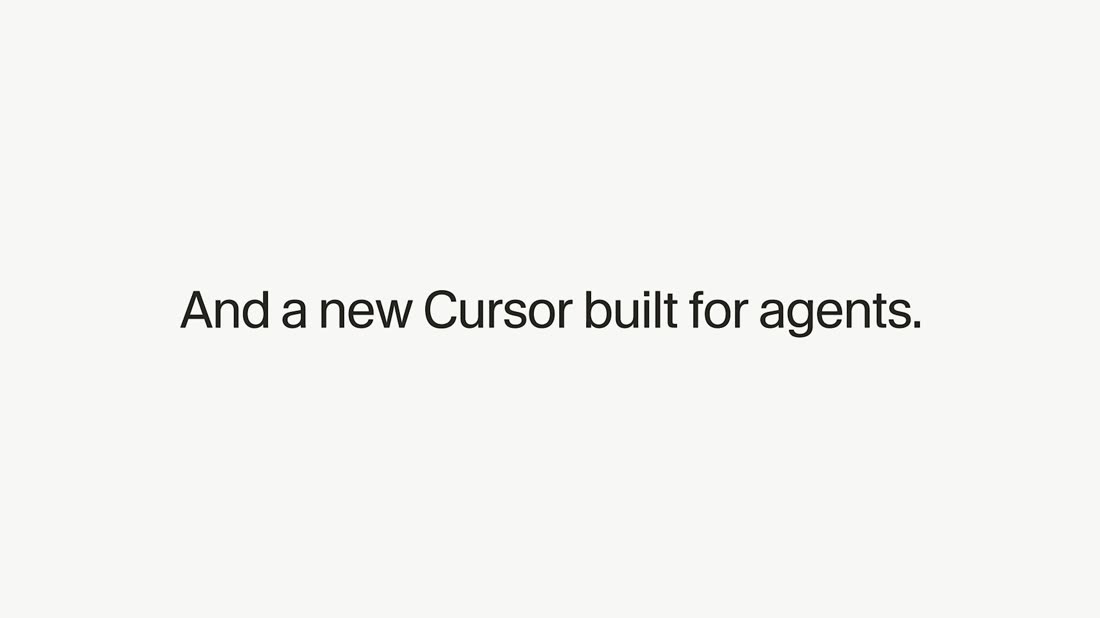
| Cursor 2.0 | 64.4 s | 3 | Near-white #f5f5f4 | Large centred sans sentences on empty white | 4K capture floating over a desktop, one continuous camera |
| Cursor subagents | 15.9 s | 0 | Desktop wallpaper | None at all | One window, sped up. That's the whole film. |
| Linear Releases | 30.0 s | 0 | Black, 2.00:1 letterbox | Letter-spaced mono caps with a block cursor | Almost absent — appears tilted and tiny in the last 8 s |
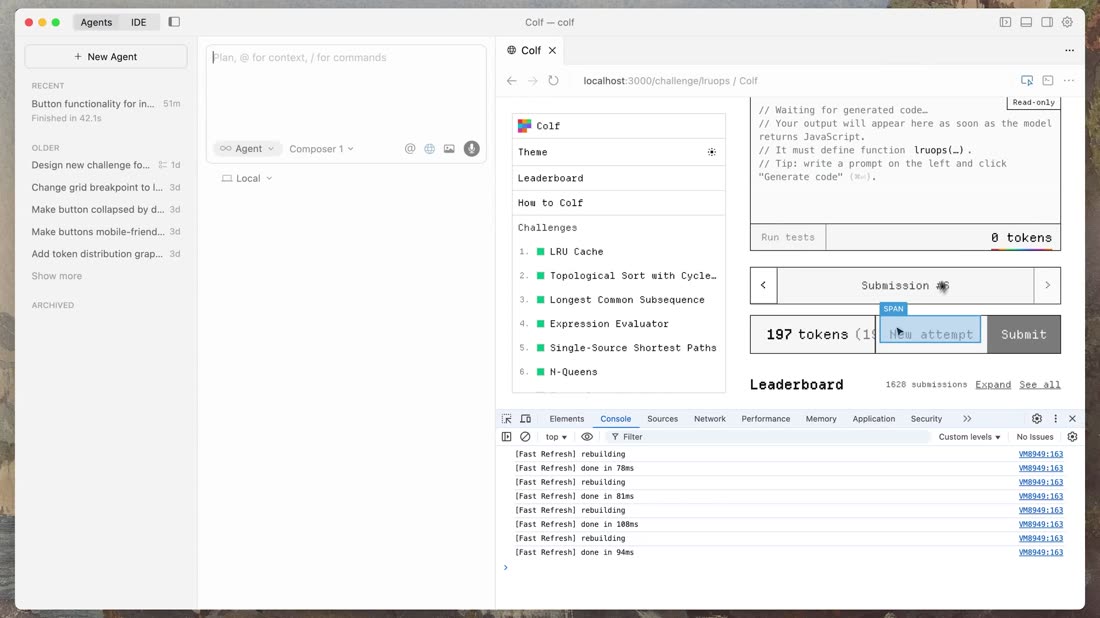
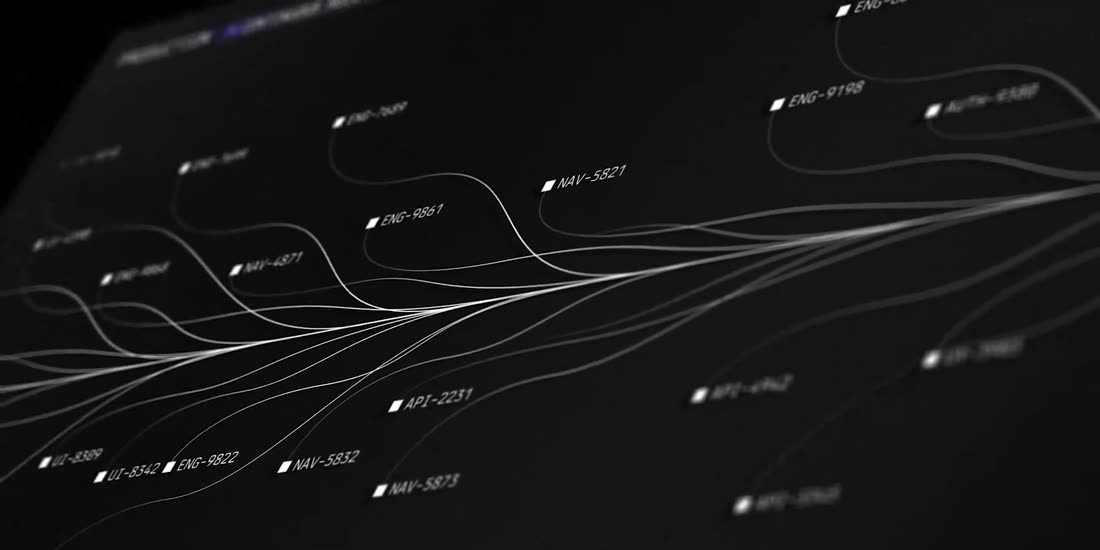
K3 is the outlier: it is the only one of the four that cuts at all, and the only one with an analog stage. The category convention is one unbroken take through the real product, dark, letter-spaced mono captions. If we go full K3 we will look unlike every competitor — which is the upside and the risk. My recommendation sits deliberately between the two poles: 12 cuts, 4.8 s mean.
Three directions
Same 62 seconds, same features, three different films. Each palette below is sampled from something real — the app's own CSS custom properties, or the reference frames.
Our actual design tokens, read off the running app
light · --bg #eef1f3 · --panel #fff · --accent #0e7c86 · --text #10161b · --border #d7dee3 · --go #1c8c57
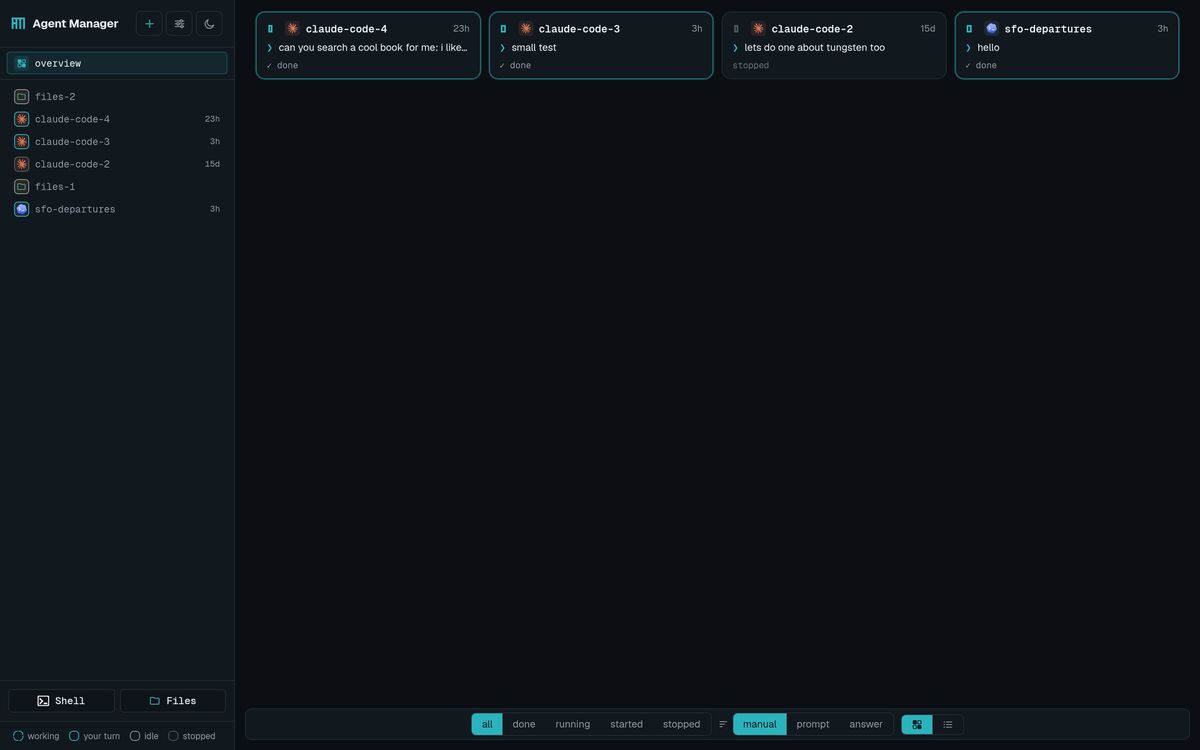
dark · --bg #0b0f13 · --panel #11181e · --accent #2bb3bd · --text #e7eef1 · --border #222b34 · --muted #8b97a0
Typefaces are Geist and Geist Mono; radii 4 / 6 / 8 / 10 px. Whatever direction we pick, the film's own typography should be these, at these radii. Nothing in a release film should be set in a font the product does not use.
1 · Paper Fleet
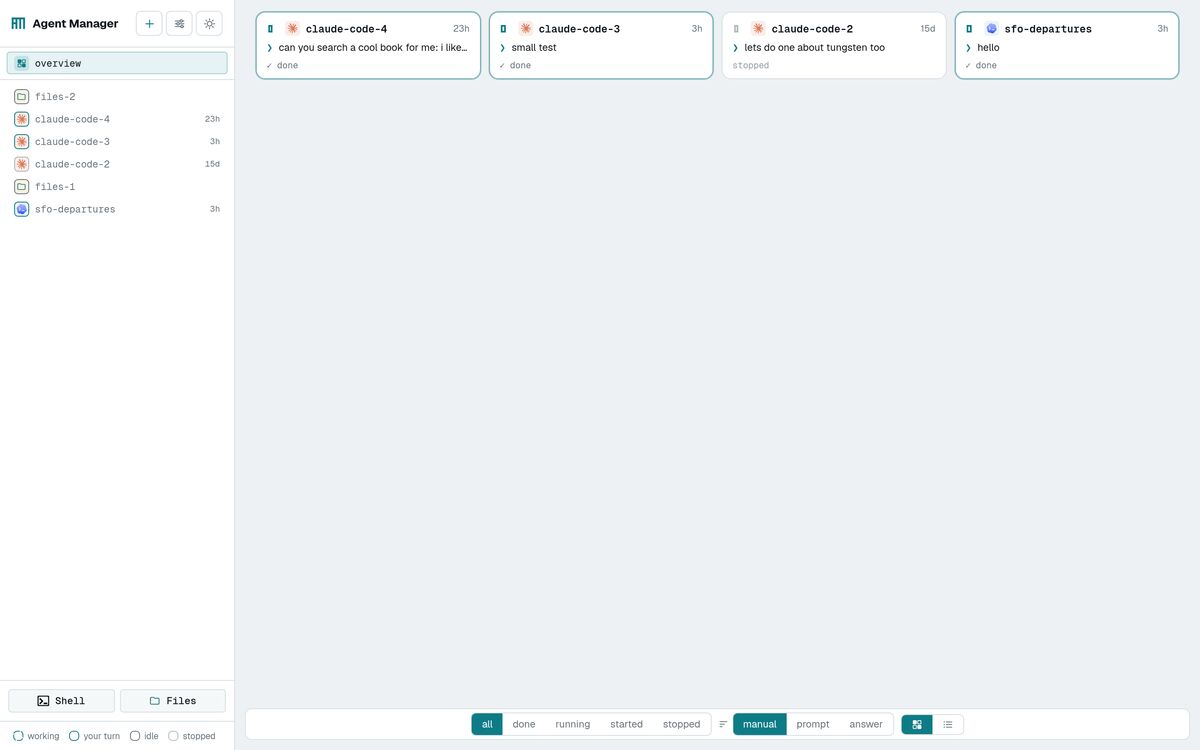
closest to K3K3's grammar, transplanted. A desk of off-white and sage paper. One printed index card per session — 47 of them, laid out in a grid, each stamped with its CLI mark and its name in Geist Mono. The only thing that moves on the whole desk is the live status frame, composited onto each card: loops turning, solid accents holding, dim cards sitting still. Real panes arrive as white cards that slide in and cast shadows. Wordmark beat on the bare paper. Crescendo: pull back to all 47 cards at once.
paper · sage · kraft · the product's teal · ink
- Why it fits
- The product is many small things each holding a state. Index cards are literally that. And the app's light theme already sits on the same warm-neutral axis as K3's sage — the two grounds are 12 % apart in lightness.
- Hardest part
- There is no camera in this pipeline. K3's charm is filmed paper. We would have to fake the plate — a high-resolution paper scan, or generated stills — and composite in 2D. Convincing at 1080p, thin at 4K, and it will not have the depth-of-field breathing that sells K3's opening.
- Cost
- Highest. Most of the work is a compositing pass that has nothing to do with the product.
- Risk
- Reads as homage. Anyone who saw the K3 film will name it in the first five seconds.
2 · Mission Control
recommendedThe app's own dark theme, as the entire film. #0b0f13 ground, #2bb3bd accent, Geist Mono captions. One continuous camera (Cursor's grammar) through a single high-resolution capture of the real fleet: open on one status frame filling the screen, its working loop turning; pull back and it becomes an icon on a sidebar row; keep pulling and it becomes 47 rows in mixed states; cut to the Overview and watch a card flip to your turn. Captions are small, letter-spaced, bottom-left, in the product's own mono (Linear's grammar). One graphic device only: a 1 px cyan filament that draws itself from an agent's row to the peers it spawned — Linear's filament, except ours is real, because the operations log has the actual edges.

night · panel · accent · text · muted — the dark theme, unmodified
- Why it fits
- It is the money shot the brief names, filmed as itself. And it is genuinely differentiated: the category is white (Cursor) or pure black (Linear). Teal-on-near-black looks like nothing else in it.
- Hardest part
- Getting 47 sessions into deliberate states at capture time, and having enough visible motion that a wide shot reads as alive rather than as a screenshot. Solved in §04 and §05 — the fleet is choreographed by script, not by luck.
- Cost
- Lowest of the three. One capture session, camera moves in post, one small graphic layer.
- Risk
- Dark UI films can read cold. Mitigated by the deceleration and the phone beat, which are the two human moments.
3 · The Handoff
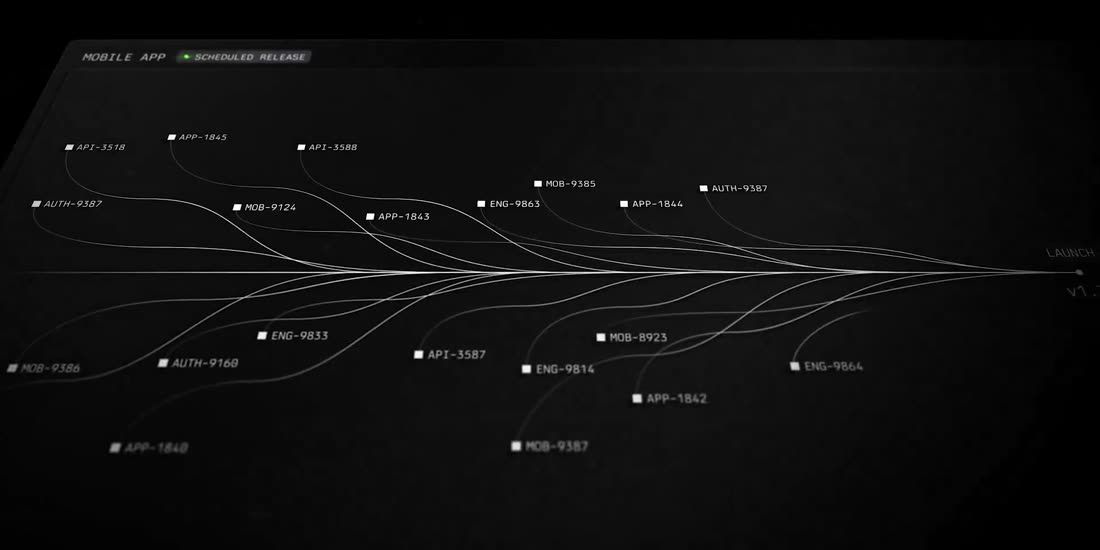
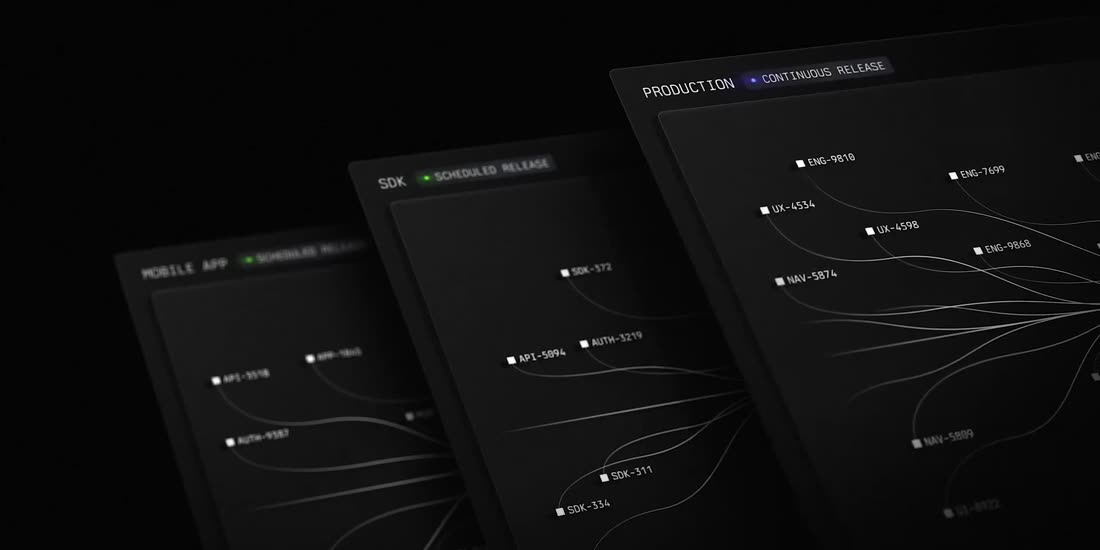
most conceptualLinear's grammar, but the diagram is our real topology. Black, 2.00:1, no UI for the first 20 seconds: 47 dots, one per real session, each labelled with its actual name in 9 px mono. Edges animate in as the prompts that actually fired between agents this week — sourced from /api/operations — so the graph builds itself as a time-lapse of the week that built the product. Then the camera lands on one dot and it resolves into the real pane, and the last 25 seconds are the product.
black · panel · white filament · one accent, used once
- Why it fits
- "Agents that talk to each other" becomes a picture nobody else can draw, because nobody else has the log. It is the only direction where the film's central image is a fact about us.
- Hardest part
- All of the interesting work is a bespoke graph animation — real engineering, not editing. And it is the least product-forward: if the UI does not land hard at 0:20 it reads as an abstract.
- Cost
- Middle, but front-loaded and the least reusable.
- Risk
- Highest variance. Could be the best of the three or an art piece that sells nothing.
Direction 2, taking one thing from each of the others: the real filament graph from Direction 3 as its single graphic device (~3 seconds, not 20), and K3's caption-is-the-prompt rule throughout. That gives us the money shot, the differentiated look, the cheapest honest capture path, and the one image no competitor can copy — without a compositing budget or a 20-second abstract opening.
Shot list — rev 02, 66 seconds
Built on your structure. The spine is a single job: one agent researches something, finds more work than it can do alone, and hires three peers to implement and review. That is what makes the fan-out feel necessary rather than demonstrated.
Every other beat hangs off it. The attachment is the brief the job starts from. The group exists because the job has parts. The reader is worth opening because there is real research in it. The file viewer has something to show because the implementers wrote files. And the reviewer can start before the implementers finish, because watching a peer with wait is a real thing this product does — so the parallel work stays honestly parallel instead of being time-compressed.
| In–out | Dur | On screen | Caption | How |
|---|---|---|---|---|
| Act I — launching, and grouping · 0:00–0:14 · one continuous take | ||||
| 0:00–0:03.5 | 3.5 | Macro on the launcher's row of eight CLI marks. A pointer picks the Claude mark and the placeholder rewrites itself to prompt for Claude Code…. The camera begins pulling back. | — | PLATE |
| 0:03.5–0:07 | 3.5 | A file is dragged onto the composer: the dashed accent outline lights up, the attachment lands. The brief types itself in. ↵ launch. A row appears in the sidebar and its status frame starts turning. | research the three ways to do this, then get it built | PLATESCRIPT |
| 0:07–0:10 | 3.0 | Second launch, deliberately a different CLI: the pointer picks another mark, the placeholder changes to match, launch. Two rows now, two different marks, both turning. | two CLIs, one tab | PLATESCRIPT |
| 0:10–0:14 | 4.0 | The two rows are dragged together into a group — the accent drop line shows where they will land, the group highlights as a target — and the panes tile side by side. One of the tiles is a plain shell running htop, so the fleet is visibly not only AI. | group them | PLATEFLEET |
| Act II — the title · 0:14–0:18 | ||||
| 0:14–0:18 | 4.0 | Music drops to a single sustained note. Still frame: Agent Manager in Geist, lowercase, tracking −.045em, on #0b0f13, mark in #2bb3bd. Beneath it, in mono: a terminal for a fleet. | wordmark | GFX |
| Act III — the team grows · 0:18–0:38 | ||||
| 0:18–0:22 | 4.0 | Concept, on black. The two agents as labelled nodes in 9 px mono. A cyan filament draws itself between them as a prompt travels; two more nodes fade up and the filaments reach them. Then it dissolves through into the real sidebar, node positions matching the rows. | they can talk to each other | GFX |
| 0:22–0:26 | 4.0 | The lead agent, working. The reader shows real research: a tool-call row expands in place, a web fetch resolves, markdown starts rendering mid-turn. | it reads first | SCRIPT |
| 0:26–0:31 | 5.0 | No cut. It finds more work than it can do alone and hires help: three POST /api/agents calls scroll past in its own pane, and three rows appear inside the group on their own, each starting to turn. The tiles reflow from two panes to five. | so it hires three more | SCRIPTFLEET |
| 0:31–0:35 | 4.0 | Cut. All five at once: two implementers streaming code, a reviewer holding on wait, the lead reading, the shell still on htop. Five frames turning out of phase with each other. | implement · implement · review | FLEET |
| 0:35–0:38 | 3.0 | No cut. An implementer finishes; the reviewer's wait returns and it starts reading the diff. A frame flips to the solid accent — your turn — without anyone asking for it. | and it reviews the work | SCRIPT |
| Act IV — read it, open it, carry it · 0:38–0:56 | ||||
| 0:38–0:43 | 5.0 | Cut. Push into one agent. The reader, dark: rendered conversation, a collapsed 3 steps · 3 tools · 1m 18s row opening, a table drawing itself row by row. | the reader | PLATE |
| 0:43–0:47 | 4.0 | Cut. The file browser, opened on what the agents actually wrote. New files land in the tree as we watch; one opens. | and what they actually wrote | FLEET |
| 0:47–0:52 | 5.0 | Your transition: the desktop view slides left out of frame while a phone slides in from the right carrying the same reader, same conversation. A thumb scrolls it and sends a reply; a frame starts turning on the phone. | all of it, on a phone | COMP |
| 0:52–0:56 | 4.0 | Settings, rapid fire — three cuts of ~1.3 s each. Usage: per-CLI cost and the quota meters (17% resetting, 25% resets in 12h 16m) with the traces table beneath. Skills: a skill in the list, then a brand-new agent that already knows it. General: the backup interval, and secrets listed by name only. | usage · skills · backup | PLATE |
| Act V — out of the box · 0:56–1:06 | ||||
| 0:56–1:01 | 5.0 | Cut. Concept again, matching 0:18: the Space as one bounded rectangle, then two more machines outside it — a cluster and a laptop — with filaments reaching out past the boundary. Dissolve to the real sidebar, where a row marked remote sits among the rest. | and on your own machines | GFXFLEET |
| 1:01–1:06 | 5.0 | Cut. Hard deceleration to the quiet dark ground. One line types on: built by the agents it runs. Hold two seconds. The mark fades up with agent-manager beneath it. Black at 1:06. | built by the agents it runs. | GFX |
12 cuts, 5.1 s mean. Act I is one unbroken take — the launcher, both launches and the grouping all happen in a single continuous pull-back, so the film opens the way Cursor's does. The two concept beats at 0:18 and 0:56 are deliberately the same device, which makes the second one read as a callback rather than a new idea.
What we are showing, in order
| Beat | Feature | Where it lives in the story |
|---|---|---|
| 0:00 | The launcher · six CLIs, one click each | Starting the job |
| 0:03.5 | Attachments, by drag and drop | The brief the job starts from |
| 0:07 | Different CLIs side by side | Two ways of working, one tab |
| 0:10 | Groups, formed by dragging · tiled panes · a plain shell on htop | The job has parts |
| 0:10 | Live status frames — working, your turn, idle, stopped | Present throughout; never explained, only shown |
| 0:18 | Agent-to-agent messaging, as a concept | Setting up what happens next |
| 0:22 | The reader, mid-work · tool calls expanding · markdown mid-turn | Watching it think |
| 0:26 | An agent spawning peers into its own group | The fan-out |
| 0:31 | Five sessions working at once, out of phase | The parallel middle |
| 0:35 | Watching a peer with wait, then reviewing it | The work coming back together |
| 0:43 | The file browser | What actually got made |
| 0:47 | The phone — reading and replying | Leaving your desk |
| 0:52 | Usage and cost · skills · backup · secrets | Running it, not just using it |
| 0:56 | Remote agents on other machines | The fleet leaves the box |
Cut from rev 01 at your call: needs-input detection, the i panel and trace download, reader search, archive, restart durability, and the 47-session wide shot. They are all still filmable later as separate short clips if you want them for the README rather than the film.
What has to be staged, and how — honestly
Rev 02 is much easier to stage than rev 01, because it never needs a big fleet. Five sessions is the most that is ever on screen at once. But the story now depends on timing instead of scale: the spawn has to land at 0:26 and the review has to start at 0:35.
| The problem | How it gets solved |
|---|---|
| The research has to be real, and has to be readable. The reader beat at 0:22 is only worth five seconds if there is genuine thinking in it. | Give the lead a real question with a real answer — something it must actually fetch and weigh. The trap to avoid is a task so small the agent answers in one turn: no tool calls means nothing expands, and the reader beat dies. |
| The spawn has to land on the beat. A real agent deciding to hire help takes as long as it takes, which is not 26 seconds. | Two honest options. Either the lead is told in its brief to delegate — it still does it for real, we just remove the deliberation — or we capture the spawn separately and cut to it. I would take the first: it is genuine behaviour, just not spontaneous behaviour. |
| Five panes have to look alive at 0:31. Agents go quiet between tool calls, and a still pane reads as a screenshot. | Choose sub-tasks that stream steadily rather than think silently. The shell on htop is free continuous motion and anchors the frame. Worst case we hold the wide shot a second shorter. |
| The reviewer must have something to review at 0:35 without the implementers being finished — otherwise the parallel middle collapses into a queue. | This is the one place the product solves it for us. The reviewer holds on wait against one specific peer, so it wakes the moment that peer lands and starts while the other is still going. Genuinely concurrent, and it puts a real feature on screen. |
| The phone slide. There is no camera and no phone here. | Capture the real mobile layout at 1170×2532, composite it into a device frame, and animate both views on one timeline so the slide is a single move. It will be an honest capture in an obvious frame — not a fake photograph. If you would rather have a real hand holding a real phone, that is the one shot that has to be filmed on your side, and it would be the best five seconds in the film. |
| A remote agent has to exist for 0:56 to be real. | It cannot be created from here — a human has to paste the connect prompt on the other machine. If you start one on your laptop or the cluster before the shoot, the beat is real; otherwise the concept diagram has to carry it alone, which is weaker. |
| Secrets and usage are on screen at 0:52. | The settings panel lists secrets by name only, never values — so it is safe by construction. The usage numbers are real cost figures, though. Worth a look at that frame before we publish. |
The app, as captured for this document
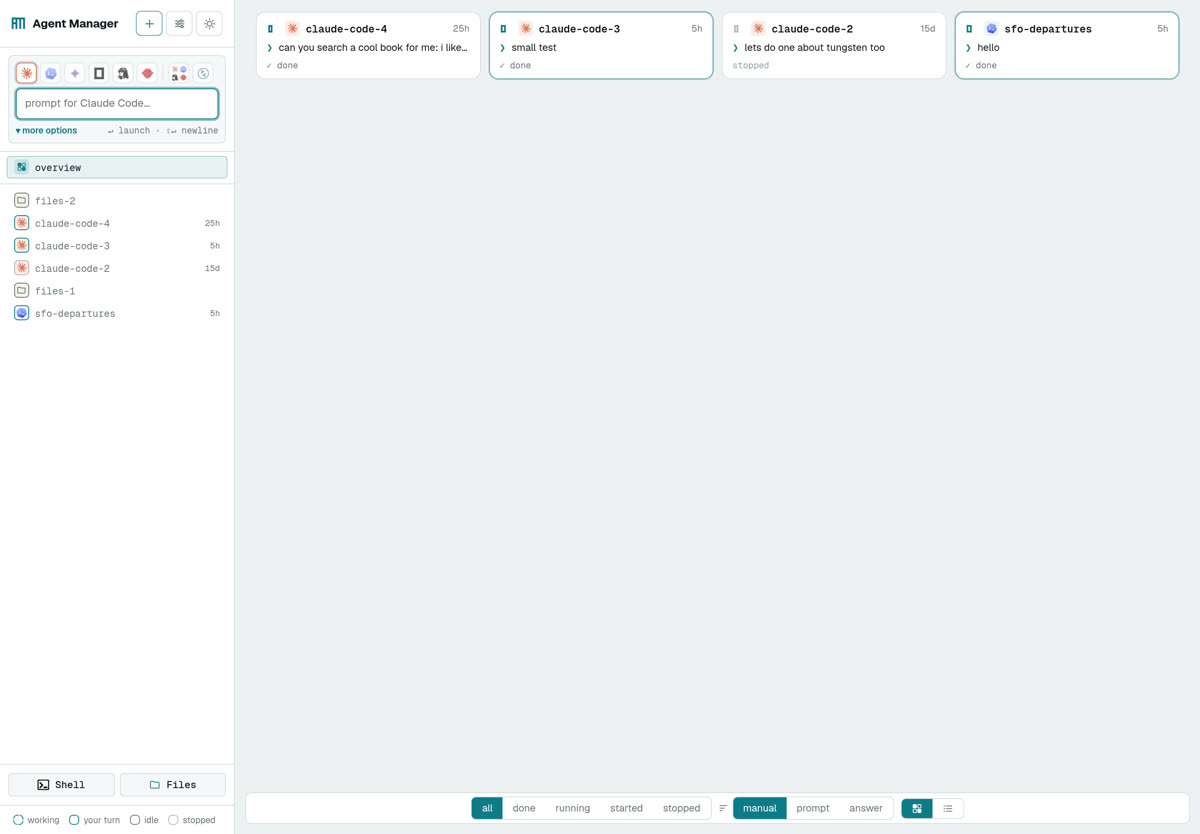
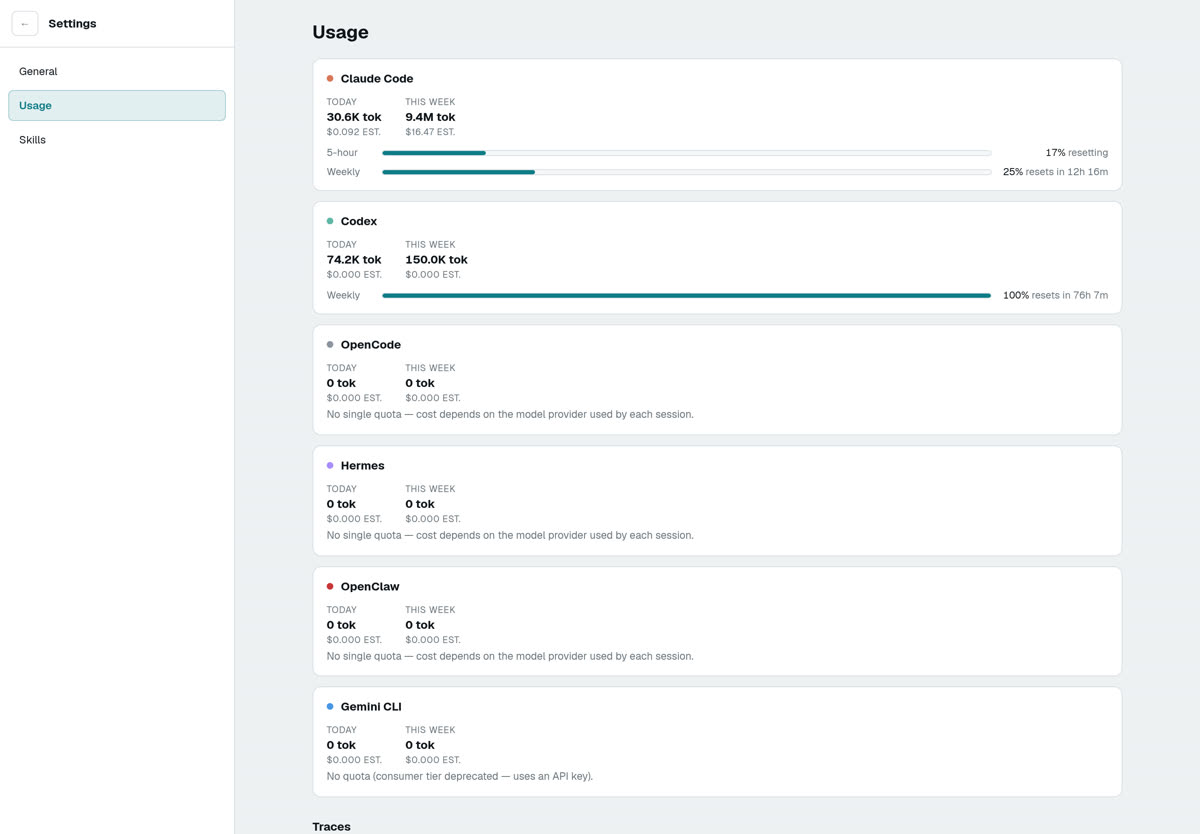
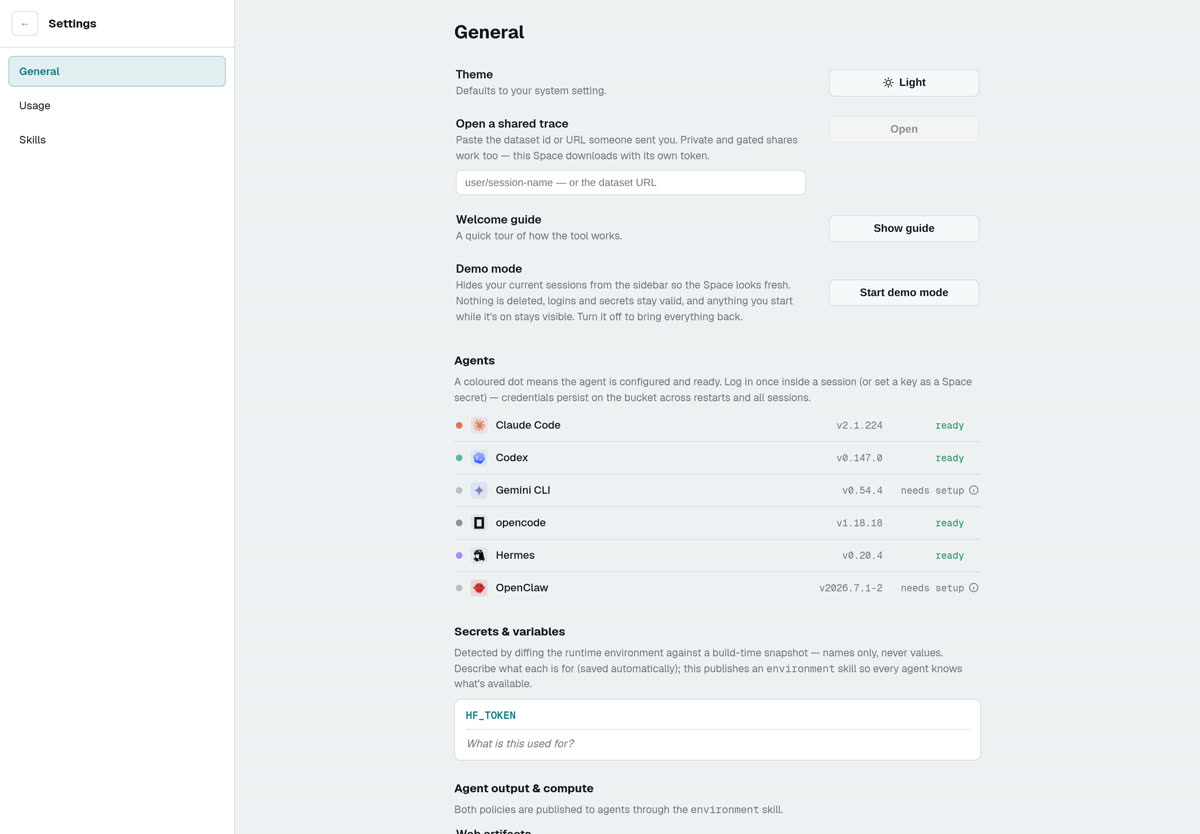

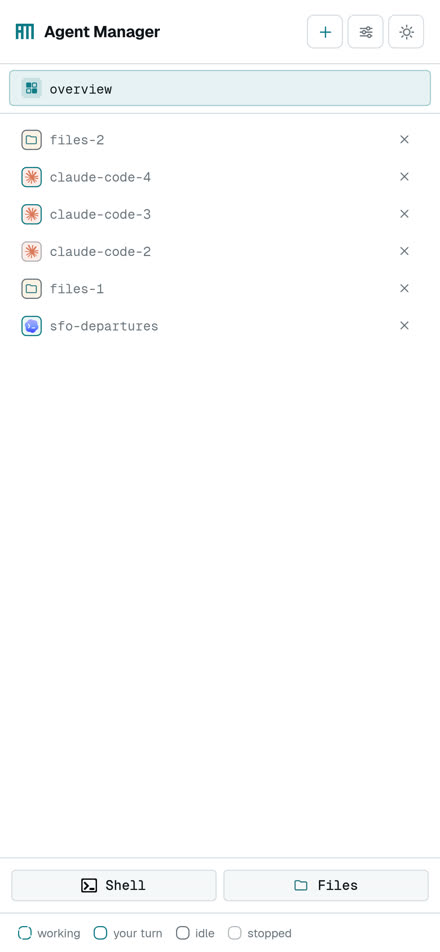
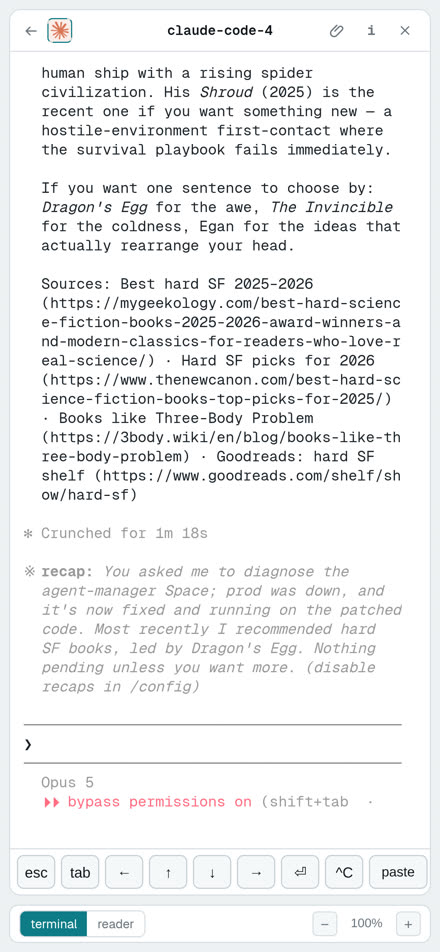
Captured from the dev Space at 7e74308 on 19 Aug 2026, 2× device pixel ratio. Six pre-existing sessions — nothing was created.
Technical plan
Everything below marked verified I ran on this box today. The rest is flagged as untested.
Settings has a Demo mode. In its own words: "Hides your current sessions from the sidebar so the Space looks fresh. Nothing is deleted, logins and secrets stay valid, and anything you start while it's on stays visible. Turn it off to bring everything back."
That is built for exactly this job. With it on, the film could be shot on prod — your real credentials, your real skills, your real environment — with your existing sessions hidden and only the demo fleet on screen. No rebuilding the setup on dev, and none of the worry about the dev Space being a small box.
I am not going to do that without you saying so. My instructions for this job were explicitly not to stage anything in the Space where your real work is running, and a switch that hides sessions is not the same as a switch that protects them. So: dev remains my default, prod with demo mode is available if you prefer it, and it is your call rather than mine.
The sidebar is fully drag and drop — rows reorder, and rows can be dragged into a group, with an accent line showing the landing position and the group highlighting as a target (.row.drop-before, .group.drop-into). The composer is a real drop target for files too (.ov-composer.image-drop), not just a file picker.
So beat 0:10 groups the agents by dragging them together, and beat 0:03.5 attaches the brief by dropping a file on it. Both are gestures rather than menus, which is what you want on film — and at 0:26 the manager's peers land in that same group on their own, so the manual and the automatic use one visual language.
The capture path
Playwright can record video, but its recorder is VP8 at 25 fps with soft, jittery frame timing — fine for a small inset, not for delivery. The good path is a virtual X display and ffmpeg screen capture, which gives exact frame timing and any frame rate we ask for.
# verified: produced exactly 480 frames in 8.000s at 1920x1080
Xvfb :99 -screen 0 1920x1080x24 -nolisten tcp &
DISPLAY=:99 node drive.js &            # headful Chromium, Playwright-driven
DISPLAY=:99 ffmpeg -f x11grab -draw_mouse 0 -framerate 60 \
  -video_size 1920x1080 -i :99 -c:v libx264 -preset ultrafast -crf 12 plate.mp4
| Piece | Status | Detail |
|---|---|---|
| Xvfb + x11grab at 1080p60 | verified | 480 frames / 8.000 s, no drops. 8 vCPU, 493 GB RAM, 252 GB free. |
| Headful Chromium | verified | /opt/pw-browsers/chromium-1234/chrome-linux64/chrome — Chrome for Testing 151.0.7922.34. (Note: the Playwright npm package looks for revision 1187, which is not installed; pass executablePath explicitly.) |
| Private-Space auth | verified | The dev Space is private. Browser access works with extraHTTPHeaders: {Authorization: "Bearer $HF_TOKEN"} — including the terminal transport, which was the thing I expected to break. The header never appears on screen. |
| The dev Space's manager API, from here | verified | GET /api/agents → 200, six sessions, claude · codex · opencode · hermes all ready. This is the finding that makes the film possible — see "choreography" below. |
| Playwright recordVideo | verified, rejected | Works, but VP8 / 25 fps / capped size. Keep it for inset cards only. |
| CDP Page.startScreencast | untested | The middle option: JPEG frames with real timestamps, reassembled with an ffmpeg concat list. Better timing than recordVideo, no X server needed. Worth a test if Xvfb causes trouble. |
| 2560×1440 or 4K plate | untested | Needed so post camera moves stay sharp. 1440p60 is the safe bet on 8 cores; 4K60 with x264 will probably drop frames and needs measuring before we rely on it. |
| Geist / Geist Mono for the graphic layer | verified available | Both woff2 files are already hosted on your artifacts Space (this page is using them). The box itself has no Geist installed, so the graphic layer must be rendered in the browser via @font-face, not by ImageMagick. |
Choreography — one clock for the whole take
Because the dev Space's API answers from this box, a single director script can hold one clock and fire everything on it. That turns "hope the fleet looks busy" into a timeline:
t=0.0   start ffmpeg
t=1.5   POST /api/agents/:id/prompt  x8   # eight rows start turning, on cue
t=6.0   POST /api/agents/:id/stop    x3   # three rows go dim, in shot
t=11.0  page.evaluate(scroll sidebar)     # the pull-back reveal
t=13.2  a pre-timed short prompt lands    # a card flips to "your turn" at 0:13.2
t=20.0  page.click(pane) ; type the real prompt
t=21.6  the parent agent POSTs three peers of its own
...
Camera moves are not filmed. Beats 1–3 are a single static capture of a 1440p plate; the pull-back is a crop expression animated in post. Same for the push into the i panel. This is exactly how Cursor gets 64 seconds with three cuts.
Post
- Camera moves: a Python script emits a per-frame easing table into an ffmpeg sendcmd file driving crop, then scale=1920:1080:flags=lanczos. zoompan is the obvious choice and the wrong one — its per-frame precision is too coarse for a slow pull-back, it visibly steps.
- Graphic layer (title, filament, end card): rendered as an HTML page whose animation is driven by a ?t= parameter rather than the wall clock, screenshotted frame by frame to a transparent PNG sequence. Deterministic 60 fps, zero dropped frames, and it can use the product's real CSS. Composited with overlay.
- Delivery: 1920×1080 H.264 high, CRF 18, +faststart; plus 1080×1350 and 1080×1920 crops with a caption-safe centre; plus a silent 10 s loop for the README.
Seams — the things that will bite
- --kiosk does not hide Chromium's tab strip and omnibox — verified the hard way; my first test capture has a browser in it. Fix: push the window off-screen with --window-position=0,-80 --window-size=1920,1160, or grab with an offset (-i :99+0,80), or launch via --app=.
- The dev Space is cpu-basic. Rev 02 only ever needs five sessions, so this is much less of a risk than it was — but five live CLIs on two vCPUs can still stream slowly, and slow streaming reads as a sluggish product. Either bump the dev Space's hardware for the shoot, or use prod with demo mode.
- Terminal text rendering. xterm.js on a GPU-less box falls back to canvas rendering; glyphs can differ subtly from what you see on your machine. Check one still against a real device before we lock.
- Font-loading race. The first frames after navigation can show fallback fonts. Warm the page, then roll.
- No music on this box, and no licence for any. This matters more than it sounds: K3's best trick is a five-second hole in the mix, and you cannot cut to a hole you have not heard. Pick the track before we lock the edit, not after.
- No pointer. -draw_mouse 0 removes it. Linear shows no cursor, Cursor shows a real one. I would show none — a synthetic drawn cursor always looks synthetic.
- Every spawned session costs your quota. Nothing has been spawned. I will bring a count and an estimate first.
Rough shape of the work, once a direction is picked
Three things still open
Structure, task and features are settled. These are not.
- Is the K3 film the Kimi one? Still unconfirmed. §01 and §03 both change if it is the Creality printer launch instead.
- The music. Send a track, or tell me to go find candidates. The title at 0:14 is written to sit in a hole in the mix, and a hole cannot be cut to before it exists — so this one blocks locking the edit, not starting it.
- Where we shoot, and permission to run the fleet. Dev Space, or prod with demo mode. Either way I will bring you the session count and a cost estimate before anything is spawned.
Two smaller ones I can decide myself unless you care: whether the phone beat is a composited device frame or a real phone filmed on your side, and whether a remote agent is connected before the shoot — without one, the 0:56 beat has to lean on the concept diagram alone, which is weaker.
Structure: yours — one agent hits work it cannot do alone and the team grows. Task: research, then fan out to implement and review. Added: attachments, the file browser, and a plain shell on htop. Cut: needs-input, the i panel, reader search, archive, restart durability, and the 47-session wide shot.