The four shapes a prompt takes
Tight crops of the band itself, at the size it renders. The pixel numbers are measured in a browser by the new test, not eyeballed here.
One line — the common case, and the one that must not move

Several lines — where someone pressed Enter

breaks on: three <br>, 66px, the same height the band had with pre-wrap. Strict markdown would have folded this into one paragraph — a silent reflow of every multi-line prompt in the reader.A fence and a list — the case the band was not designed for
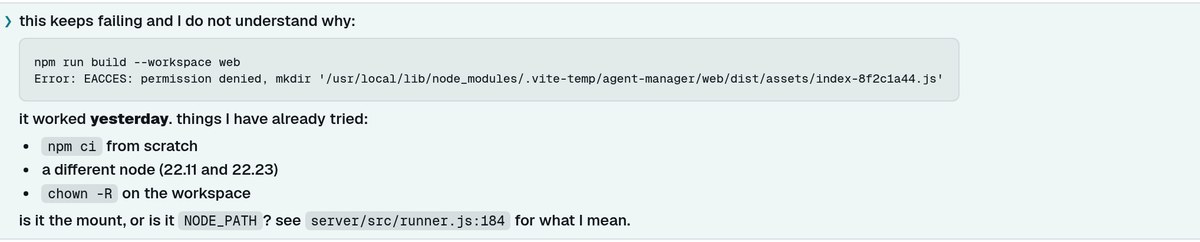
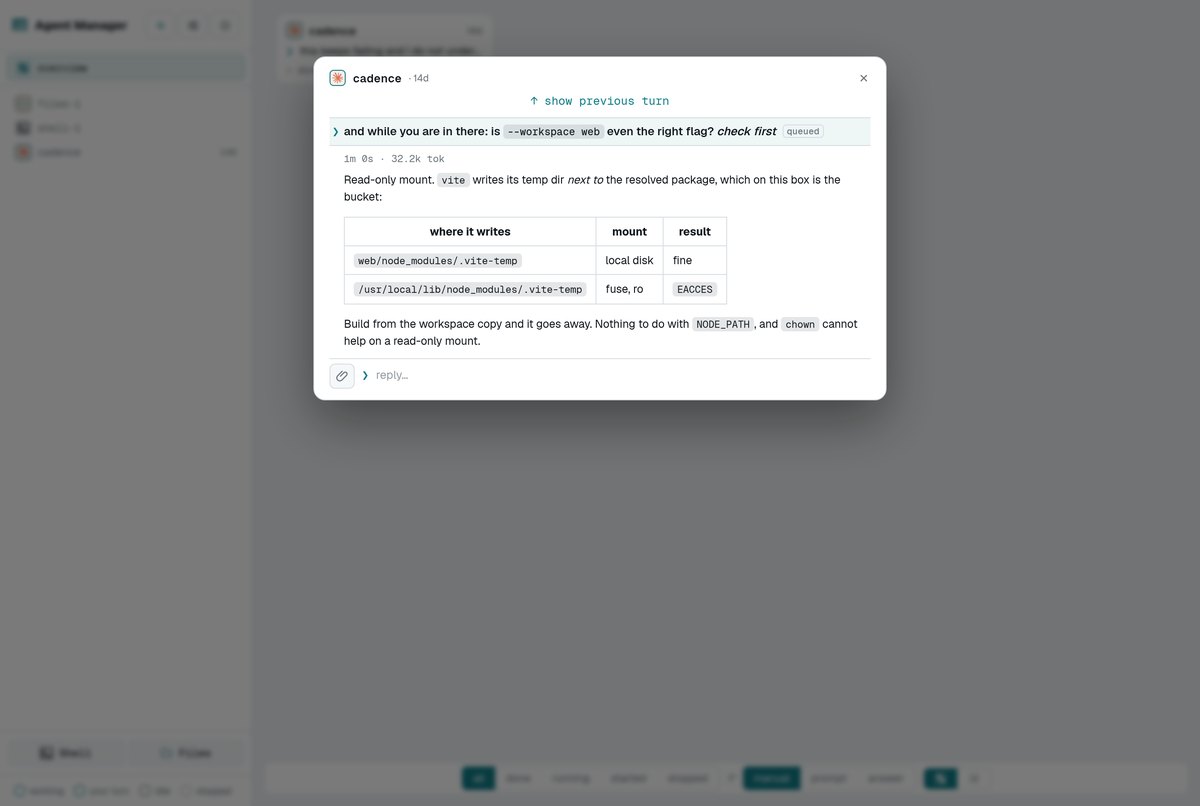
Queued — the pill still trails the last line

inline-block, so the pill sits on the last line's baseline instead of dropping below it and making queued prompts a line taller than the rest.All of it in one reader
The point of the band is that you find turns by it while scrolling. Four different prompt shapes, one left edge — the arrow in the gutter, the words on the text column, and the answer below on that same column.


Search lands in it, through the markdown
The prompt goes through the answer's exact path — highlightHtml(renderMarkdown(...)) — rather than a second highlighting mechanism that agrees with the first until it doesn't. The term is marked inside the rendered HTML, so a hit inside bold stays bold.
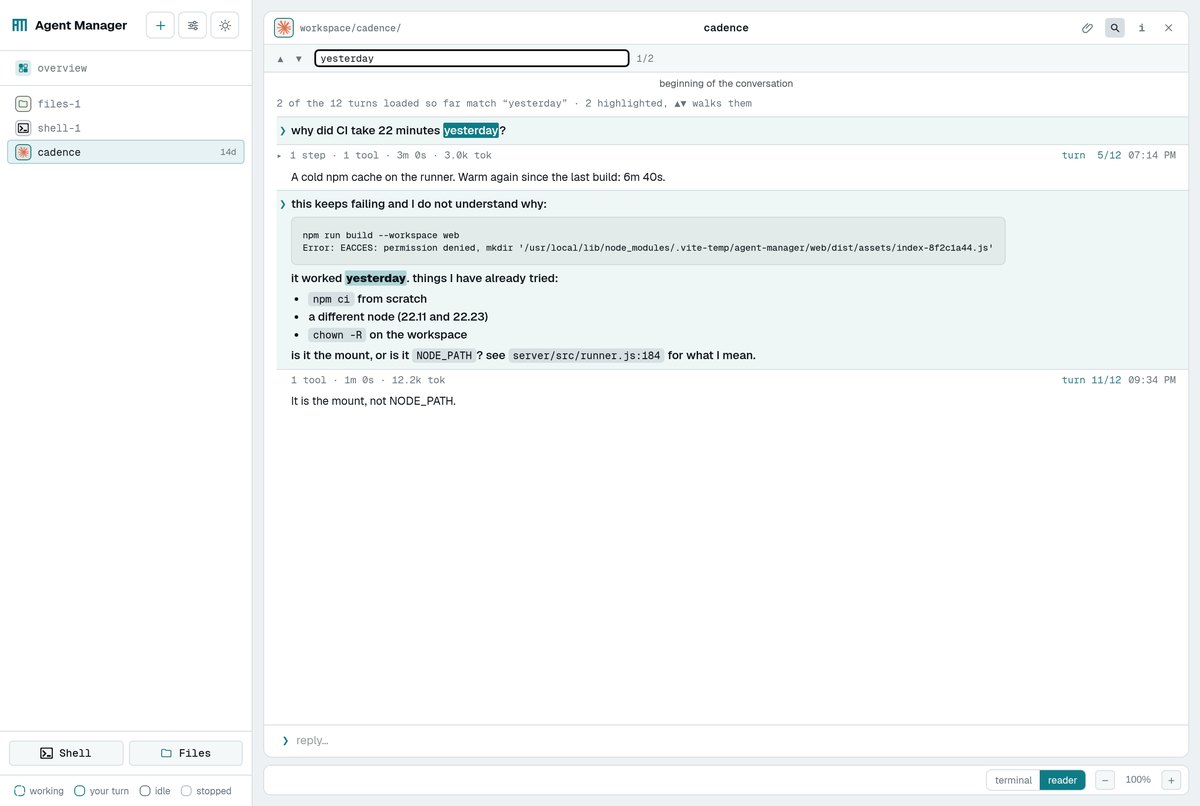
yesterday; one of them is inside a <strong>, which is how you know the highlight went through the render and not over it.And the prompt you just sent
The optimistic echo — the band that appears before the transcript catches up — is the same component. That pairing is what #77 was about: written out by hand twice, the echo lost the wrapper whose padding cancels the band's negative margin, and the newest prompt in every conversation hung a gutter's width to the left. There is one band in the file now, used twice.

What was measured
A browser test builds the real component — real marked, real DOMPurify — renders it inside the reader's own frame, and compares it against the band as it was before this change.
| what | raw text | rendered |
|---|---|---|
| text left edge | 29.984375px | 29.984375px |
| band left / right edge | 14 / 640px | 14 / 640px |
| one-line band height | 30px | 30px |
| four typed lines | 75px | 75px |
| queued one-liner | 30px | 30px |
| column scroll width | 626 of 612 | 626 of 612 |
The column overflows its client width by the gutter in both cases: the band is full-bleed by design, and that number is what a wide prompt must not move. Each assertion was checked by breaking the rule it depends on — default last-child margin, no inline-block, no max-width, no breaks, no font-size reset, no highlight, a fence that scrolls — and confirming the right checks fail.
Two judgement calls, since the band was designed for one line
A fence in a prompt wraps; a fence in an answer scrolls. This band held the operator's own text as pre-wrap until now, so every character of a pasted error was on screen. Trading that for a horizontal swipe inside a slab is the same mistake as putting something behind a hover — and it is worst on a phone, where the band is widest relative to the screen. An answer's fence is code an agent wrote, where the line structure is the content and reflowing it lies about it; a prompt's fence is a paste.

Nothing is capped. A prompt with a 200-line paste makes a tall tinted band. It already did as raw text, and the answer's own fences are uncapped too, so a cap here would be new behaviour rather than preserved behaviour. If it turns out to bite, the cap belongs on both.
What did not change
- The band's geometry:
margin-left: -1.23emagainst.cx's padding, the❯in the gutter, full bleed to the right. - Where prompts get their text from — trace parsing, the queue records, attachment display text: untouched.
- The answer's rendering.
breaksis passed by the prompt band alone, asserted by a test that reads the answer's own call. - Safety: prompts go through the same
DOMPurifysanitiser as agent output, which is why raw HTML in a prompt renders as HTML but a<script>or anonerrordoes not survive.